
How to Choose an OBD2 Scanner for Your Repair Needs


Choose an OBD2 scanner by repair task first, then verify vehicle coverage. Start with basic OBD2 access for engine and emissions checks, broader system coverage for other modules, and confirmed active tests or service functions for specific repairs. Compare budget only after those requirements are met. A supported brand name alone does not guarantee the function you need.
Wondering which OBD2 scanner you need? The answer depends on the work you want to do: investigate a check engine light, access additional vehicle systems, perform supported service routines, or command components during diagnosis. Start with those tasks before comparing screens and prices.
This guide helps U.S. car owners, DIYers, and independent technicians build an iCARZONE shortlist. It explains the differences that affect a purchase, gives dated price references, and shows what to confirm before ordering. Vehicle-specific coverage remains the final check for every recommendation.
Engine-Only, Four-System, or Full-System?
Start with the systems you need to access. A scanner’s supported modules and the jobs it can perform inside those modules are separate purchasing decisions.
Generic OBD2 access focuses on emissions-related powertrain codes, supported data, and readiness. It does not automatically include ABS, airbags, or body electronics.
Typically covers engine, transmission, ABS, and airbag/SRS. Confirm the actual module list and available functions for your vehicle.
Adds access to supported modules beyond the core four, such as body, steering, or climate control. “Full system” remains subject to vehicle coverage.
For a check engine light, a basic code reader may provide the information you need to begin diagnosis. For an ABS warning or a body-module fault, choose a tool with confirmed access to that system.
Access does not prove function support. A tool may read a module’s codes without supporting its actuator tests, calibrations, or coding. Ask about the exact task, not just the vehicle brand.
Which Repair Jobs Will You Actually Do?
Write down your next three likely jobs. A useful scanner earns its place by helping with those tasks, rather than by offering the longest feature list.
Prioritize code status, freeze frame, live data, and readiness. A code identifies a detected condition; it does not tell you which part to replace.
List the service routines you actually need, such as an oil-service reset or electronic parking brake service mode. Verify each routine separately.
Look for supported full-system scans and useful module data. This is especially relevant when several warning lights appear together.
Consider bidirectional control when your diagnostic procedure requires an ECU command. Confirm the particular test before buying.
Prioritize broad module access and the ability to preserve results. A scan complements an inspection; it cannot prove the absence of accident or mechanical damage.
Evaluate repeat tasks, data display, report handling, connection method, and update workflow. Convenience matters when you use the tool every day.

Which Scanner Features Are Worth Paying For?
Live data and freeze frame
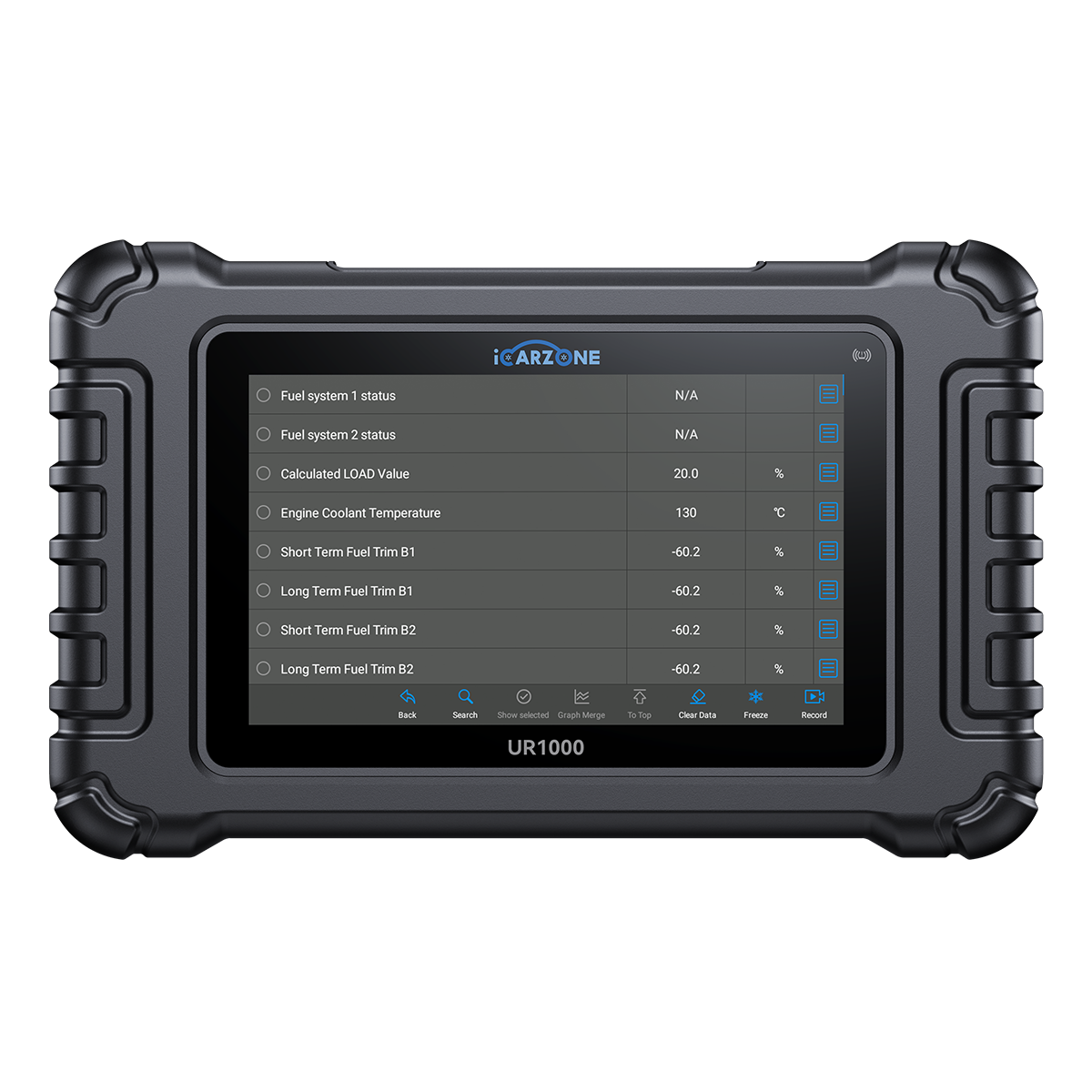
Live data shows what the ECU reports now; freeze frame preserves selected conditions associated with a stored emissions fault. Look for readable values and graphs, where supported.
Buying check: Useful for comparing operating conditions, not a replacement for physical measurements.
Service functions
A service routine may reset a reminder, prepare a system for maintenance, or perform a calibration. The exact name and procedure depend on the vehicle.
Buying check: Confirm the particular routine. A large service-function count is not a VIN-specific guarantee.
Bidirectional active tests
A supported test asks the ECU to command an output, such as a cooling fan. You then compare the command with the component’s response.
Buying check: Choose this when it supports your troubleshooting method; observe the vehicle’s safety prerequisites.
Coding, relearns, and programming
These functions serve different purposes. Configuration changes, learned-value procedures, and firmware installation are not interchangeable capabilities.
Buying check: J2534 pass-through support alone does not include OEM software access or guarantee a programming job.
A graph on a scanner displays ECU-reported values. It is not an oscilloscope trace measured directly at a sensor wire. Circuit, pressure, and mechanical checks still require the appropriate equipment.
Compare iCARZONE Models by the Job
Use this shortlist to identify candidates, then verify the function that matters to you. Prices and broad product descriptions cannot establish exact vehicle compatibility.
| Model / USD | Start here for | Selection notes |
|---|---|---|
|
MA100 $22.99 |
Check-engine-light and emissions checks | A compact OBD2 reader for supported powertrain information. Do not assume ABS or SRS access. |
|
MA900 $69.99 |
OBD2 checks plus battery testing | Combines OBD2 engine diagnostics with dedicated battery, starting, and charging test functions. Confirm the battery application. |
|
MA200 V6 $99.99 |
Supported European make groups | A handheld option with full-system diagnosis and service routines within its supported make groups. Check your exact vehicle. |
|
MA200 Plus $144.99 |
Multi-brand handheld diagnosis | Consider it for supported full-system diagnosis and service routines across a broader advertised make range than MA200 V6. |
|
UR600 $199.99 |
Four-system repair tasks | Consider its engine, transmission, ABS, and SRS coverage when the needed active test or service routine is confirmed. |
|
UR800 $239.99 |
Full-system home-garage work | Adds supported full-system access, active tests, and coding. Verify the actual module and function you plan to use. |
|
UR1000 $329.99 |
Frequent diagnosis on a larger screen | A 7-inch option with full-system diagnosis, active tests, and supported coding. Check accessories for specialized tasks. |
|
JU2000 $589.99 |
Tablet-based workshop tasks | A 10-inch platform with full-system diagnosis, active tests, and TPMS functions. Verify the sensor and vehicle application. |
|
JU2000 Max $1,186.99 |
A broader workshop equipment package | Adds J2534 pass-through and a bundled accessory package. Confirm included hardware and the OEM programming requirements. |
Prices are a dated snapshot, before any applicable tax or shipping. Promotions, bundles, and availability can change. Check the linked product listing before ordering.
MA200 V6 and MA200 Plus show why model families are not a simple ladder: a handheld tool may offer broader system access, while another model emphasizes a different service workflow. Compare both coverage and task support.
Compare the Features You Will Use
Review the range, then confirm your VIN and must-have functions before choosing a model.
Check Vehicle Compatibility Before You Buy
The practical question is: “Will this scanner perform this function on my vehicle?” Follow these six checks before making the final choice.
Your Scanner Selection Path
-
1
Identify the exact vehicle
Record model year, make, model, engine, region, and VIN. Include relevant modifications or module replacements when asking for coverage help.
-
2
Name the system and task
Ask for “ABS automated bleeding” or a specific actuator test, rather than simply asking whether the scanner works with your car.
-
3
Check the coverage information
Start with the vehicle-coverage page. A listed brand is a useful starting point, but it is not proof of every function on every model.
-
4
Confirm communication and hardware
Check the required protocol, connector, and any adapter. Physical connection alone does not establish software or function coverage.
-
5
Check software and access requirements
Confirm the supported scanner software and any manufacturer account or authorized-access requirements for the task. Ask which costs are separate.
-
6
Keep the confirmation with your shortlist
Compare the answer against the exact model and bundle you will order. Keep the vehicle details, requested function, and support response together.
Use Vehicle Coverage to begin, and contact iCARZONE support when you need a specific function confirmed.

Set a Budget for the Complete Job
Use these bands as planning aids based on the listed prices above. They are not performance ratings, and prices may move between bands.
Basic checks
Under $100MA100 suits basic OBD2 checks; MA900 adds a battery-testing workflow. MA200 V6 sits near this boundary, subject to supported make groups.
Handheld repair tools
$100–$250Compare MA200 Plus, UR600, and UR800 by module coverage and the exact service or active-test functions required.
Larger-screen diagnosis
$250–$650UR1000 and JU2000 offer different screen sizes and workflows. Decide whether the display, TPMS work, or other verified functions justify the step up.
Workshop package
$650+Evaluate JU2000 Max when its J2534 capability and included accessories match planned work. Include the cost of the rest of the programming setup.
iCARZONE currently advertises lifetime free software updates for the listed scanners. That policy concerns the scanner’s updates; it should not be treated as free access to separate OEM programming subscriptions or every optional accessory.
Allow room for repair information and physical test equipment. A programming workflow may also require a compatible computer, interface drivers, an OEM subscription, and an appropriate regulated power supply. Confirm these requirements before purchasing a pass-through tool.
Choose a Workflow You Can Use Confidently
A feature only helps if you can interpret the result and carry out the next step. Compare the tool’s everyday workflow as carefully as its diagnostic menu.
- Prioritize clear menus and readable data.
- Check how to save or record findings.
- Choose routines for maintenance you already understand.
- Budget for diagnosis beyond the initial scan.
- Compare screen size and data presentation.
- Check supported reports and connection method.
- Verify your recurring service tasks individually.
- Account for adapters and OEM software access.
Wi-Fi updates and wireless vehicle communication are different features. Confirm how the tool connects to the vehicle, not just how it downloads updates.
Preserve codes and available freeze frame before clearing anything. Clearing codes does not repair a fault, and it can reset readiness information. A readiness display is useful evidence, but inspection eligibility follows the applicable local rules.
OBD2 Scanner Buying Questions
Which OBD2 scanner do I need as a beginner?
Will an OBD2 scanner work with any car?
Is a full-system scanner always better than a four-system tool?
Do I need a bidirectional scanner for DIY repairs?
Does lifetime free updating include ECU programming?
Can a scanner turn off the check engine light permanently?
How much should I spend on an OBD2 scanner?
Sources and Buying Notes
- iCARZONE manuals and user guides — operating information; model specifications and listed prices are linked in the comparison table.
- U.S. EPA: OBD Frequently Asked Questions — emissions-related OBD background.
- California BAR: On-Board Diagnostic Test Reference — readiness and permanent-code limitations; California inspection rules are jurisdiction-specific.
- Ford Motorcraft: Diagnostic Software Support — an OEM example of separate diagnostic software and subscription workflows.
0 comments