
P0790 Code: Normal/performance switch circuit

P0790: Prove the Mode Input
Identify the switch and module, then compare the requested mode with the input state and network interpretation.
DIAGNOSTIC FOCUS
- FAULT TYPE
- transmission mode-switch input and TCM interpretation
- FIRST CHECKS
- VIN/module-specific circuit and response evidence
The DTC alone does not prove a failed component.
P0790 means Normal/Performance Switch Circuit. Preserve the complete event and identify the reporting module before clearing it.
The DTC describes a controller observation, not a guaranteed failed part. Compare command, circuit and physical response using the exact vehicle procedure.
What Does the P0790 Code Mean?
P0790 is reported when the controller detects the code-specific condition: Normal/Performance Switch Circuit. The exact monitor, circuit and enable conditions depend on the vehicle and reporting module.
This label describes a controller observation, not a parts verdict. Separate command, electrical evidence and physical response using the exact OEM procedure.
Component location, thresholds, cylinder or solenoid mapping and repair steps vary by application. Do not transfer one OEM’s value or bulletin to another vehicle. P0790 concerns the Normal/Performance mode input as interpreted by the transmission controller. The input may be a console switch, selector, integrated shifter control or network message, so there is no universal physical location or voltage value. Save the exact mode request, received state and companion communication codes. First observe whether the state changes cleanly when the control is operated; this separates a switch or connector issue from a TCM interpretation problem. A mode that remains in Normal can leave ordinary shifting intact while disabling the requested Performance schedule. Inspect for liquid entry, trim work, terminal spread and disturbed grounds before opening the transmission. If the local switch changes but the TCM does not receive it, follow the network or harness branch. Configuration may be required after a selector or module replacement, but coding is not a substitute for electrical proof. Test the available modes in a safe controlled setting and confirm each state is recognized without returning the code.
Record complete code text, suffix, reporting module and status before deciding what hardware is named.
Compare command, scan interpretation and physical response with the prescribed test.
Save freeze frame and note temperature, load, operating mode, recent work and companion codes.
P0790 Symptoms, Severity, and Driving Safety
The mode switch may stop selecting Performance while Normal remains available.
The MIL or transmission warning can appear without an internal shift fault.
A console or selector input may flicker when pressed or when wiring moves.
The TCM may default to a safe mode and change shift scheduling.
Network companion codes can show that the state was lost between modules.
A vehicle can drive normally while the requested mode remains unavailable.
Assess the actual warning and system behavior. A stored code with normal operation still deserves diagnosis, and the code alone cannot establish a safe remaining distance.
P0790 Causes and the Evidence That Separates Them
These are code-specific diagnostic branches, not a ranking of failure rates.
Mode switch/selector fault
The physical switch, selector or integrated control can fail to produce a valid state.
How to prove it: Observe live state changes while operating the control, then test the switch per the manual.
Check firstConsole connector or harness
Trim work, liquid entry or terminal spread can interrupt the input circuit.
How to prove it: Inspect the connector and perform loaded continuity/voltage-drop checks.
Check firstReference or ground issue
A shared reference or ground can make multiple switch positions appear out of range.
How to prove it: Compare the reference and ground under the exact ignition state.
Verify directlyTCM input/network issue
The switch can work locally while the TCM loses the state over a network path.
How to prove it: Compare local input evidence with the TCM-received state and network codes.
Verify directlyConfiguration after replacement
A module or selector replacement may require configuration before the mode is recognized.
How to prove it: Verify the exact coding/configuration procedure for the vehicle.
Verify directlySoftware branch
A documented calibration issue is possible only when the vehicle and symptom match.
How to prove it: Check OEM applicability before programming or replacing a TCM.
Final branchRecent work can identify a disturbed area to inspect, but it does not prove causation. A component should earn replacement through a failed test.
Using JU2000 MAX During P0790 Diagnosis
On a supported vehicle, iCARZONE JU2000 MAX can preserve accessible fault status, freeze frame and supported data before clearing P0790. Coverage and available PIDs remain VIN-dependent.
Use the scanner to organize ECU evidence and compare supported command/response data. It cannot directly prove wiring, terminal tension, waveform, pressure, flow, injector current, fan current or mechanical wear.
Pair scan data with the current OEM procedure and appropriate physical tools. Confirm the exact vehicle, controller and requested function before purchase.
iCARZONE JU2000 MAX All-in-One Diagnostic & TPMS Kit
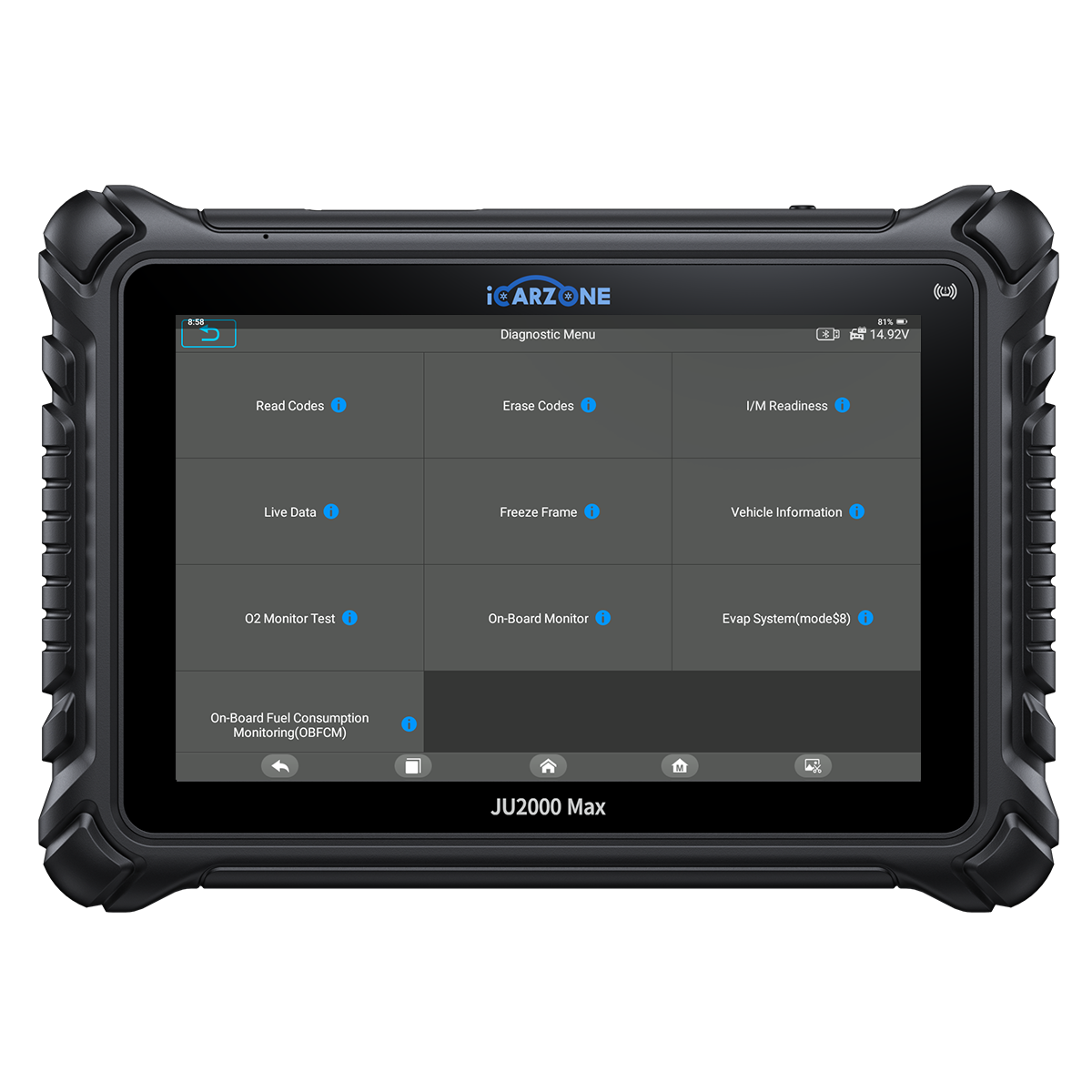
Preserve the P0790 fault event and compare supported data before authorizing parts or module work.
Use only supported functions for the identified VIN and controller. ECU coding or an active test is never universal, and a scan result does not replace physical proof.
How to Diagnose P0790 in 6 Steps
Use this six-step sequence with the VIN-specific procedure. Record conditions, measurements and comparison limits; never substitute another vehicle's specification.
P0790 Quick Diagnostic Path
-
1
Save TCM/PCM records and identify the physical or software mode input.
- Record the exact condition and measurement required by the OEM procedure.
- Do not replace a component until the failed branch is documented.
-
2
Observe the live switch state while selecting each supported mode.
- Record the exact condition and measurement required by the OEM procedure.
- Do not replace a component until the failed branch is documented.
-
3
Inspect connector, wiring, reference and ground with the OEM procedure.
- Record the exact condition and measurement required by the OEM procedure.
- Do not replace a component until the failed branch is documented.
-
4
Check whether the TCM receives a valid state and network message.
- Record the exact condition and measurement required by the OEM procedure.
- Do not replace a component until the failed branch is documented.
-
5
Verify configuration/software applicability before module work.
- Record the exact condition and measurement required by the OEM procedure.
- Do not replace a component until the failed branch is documented.
-
6
Repair and confirm every supported mode state without related codes.
- Record the exact condition and measurement required by the OEM procedure.
- Do not replace a component until the failed branch is documented.
How to Fix P0790 and Verify the Repair
Restore the mode input
Repair the proven switch, selector, reference, ground or harness fault.
Verify TCM interpretation
Confirm Normal/Performance states change in live data where supported.
Correct configuration
Apply replacement coding or software only when the vehicle procedure requires it.
Verify each mode
Confirm the requested mode state and absence of related codes.
Diagnostic time
VIN-specific quoteRequest a quote that separates scan review from the test needed to identify the failed branch. A code read alone is not completed diagnosis.
Wiring and access
VIN-specific quoteQuote proven terminal, harness and access work separately, including the cause of heat, abrasion, contamination or water entry.
Proven component repair
VIN-specific quoteAsk for the exact part, failed test and supporting installation items. The correct service unit depends on the vehicle.
Setup and final verification
VIN-specific quoteInclude programming, relearn or calibration only when required. These are alternative paths, not four automatic charges.
Ask the shop to connect each proposed repair to a finding and preserve the original and final reports. Separate confirmed defects from conditional work.
If the code returns, compare the new event with the baseline and reopen the correct branch. Another replacement part or a reset is not a substitute for a failed test.
P0790 OEM Differences and DIY Limits
The 2016 Nissan GT-R factory manual has a P0790 Performance Switch diagnostic section. Its procedure treats the switch input, connector and harness as separate checks and is specific to that vehicle architecture; it does not establish a universal switch voltage or timing threshold.
Console, selector or software controls vary by vehicle.
A stable live-data transition is more useful than a generic voltage guess.
P0790 targets a mode input circuit, not a universal internal failure.
For another VIN, confirm whether the Normal/Performance input is discrete or network interpreted, then compare the requested mode, live input state and companion communication evidence before condemning a transmission component.
- Save the complete scan and warning text without clearing it.
- Record conditions, recent work and symptoms accurately.
- Inspect only safely accessible areas with the specified power state.
- Follow the owner manual response to every active warning.
- Use qualified assistance when symptoms make operation unsafe.
- Do not jump, backfeed or force an unidentified circuit or actuator.
- Use the exact isolation and measurement procedure.
- Leave pressurized, high-current, internal, programming or disassembly work to equipped personnel.
Frequently Asked Questions About P0790
What does P0790 mean?
Does P0790 prove a failed part?
Can I keep driving with P0790?
Should I clear P0790 first?
Can JU2000 MAX diagnose P0790?
Will replacing the named component fix P0790?
Is the definition identical on every vehicle?
What confirms a repair?
Sources and Technical Review Notes
- 2016 Nissan GT-R factory service manual, P0790 diagnostic section — Application-specific Performance Switch diagnosis; do not generalize its switch circuit or thresholds.
- Tags: DTC iCARZONE JU2000 MAX OBD-II P0790
0 comments